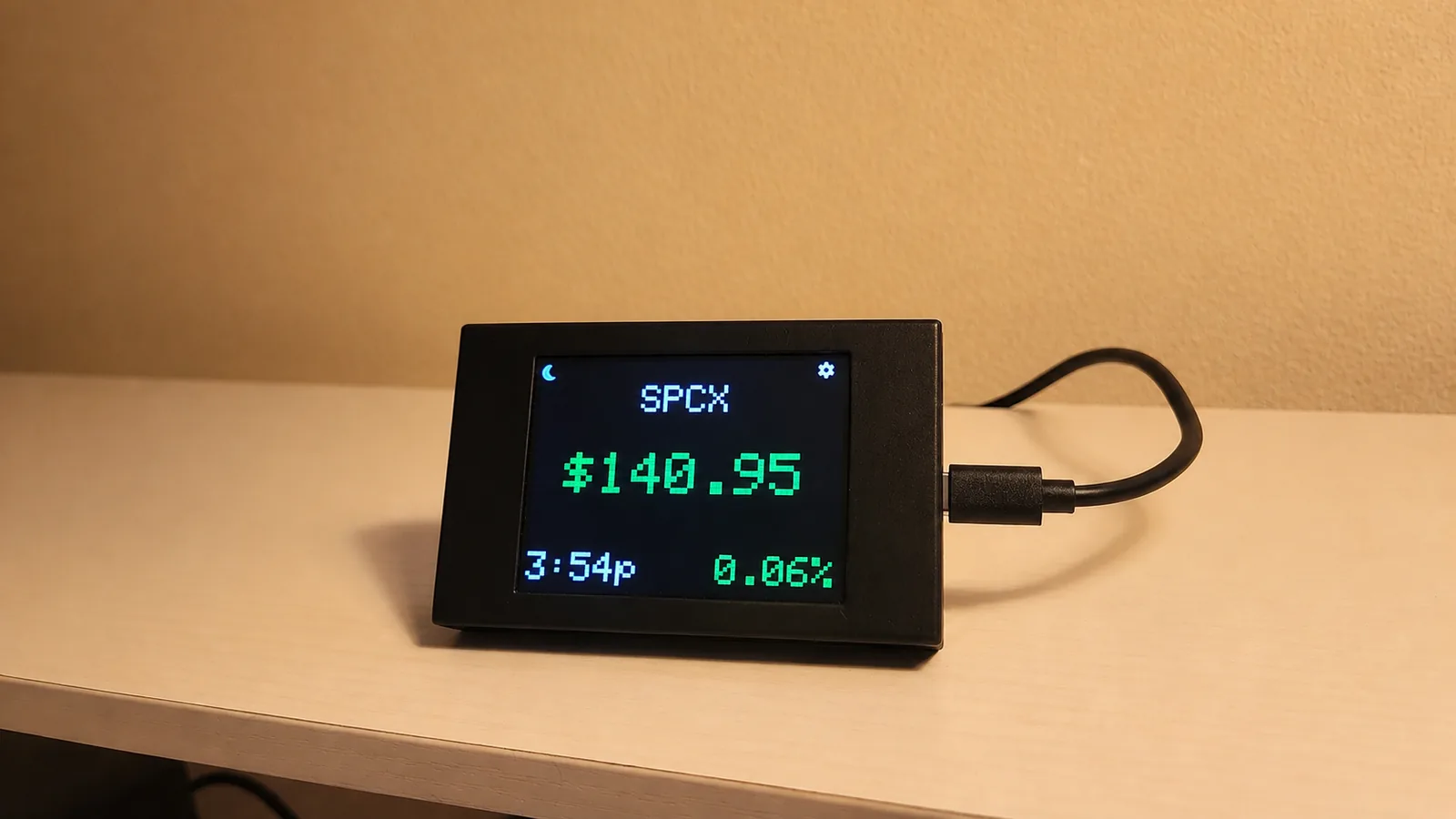
Which type of stock ticker display fits your needs?
Start with viewing distance and the amount of information you want. A ticker across a room needs different hardware from a screen beside a keyboard. If you need charts and order tools, a dashboard may be more useful than a dedicated price display.
Display technology and connectivity are separate choices: a small LCD display can also be a dedicated Wi-Fi device. The categories below overlap, and features vary by product.
| Type | Space and viewing | Setup and connected devices | Cost and customization |
|---|---|---|---|
| Long LED ticker | Broad scrolling strip for a wall or shared room. Measure mounting space and viewing distance. | Check mounting, power, and how the controller receives market data. | Compare the full hardware and installation price. Check feed fees, asset coverage, and text controls. |
| Small LCD desk display | Compact screen for close viewing. Check readability and how many assets appear together. | Setup may be on-device or through an app. Confirm whether it operates independently. | Compare device price, stocks and crypto coverage, watchlist limits, and display settings. |
| Computer or browser dashboard | Uses a main monitor or an additional screen. Suits a detailed view with room for charts. | The computer and dashboard need to remain running for the view to stay visible. | An existing computer avoids buying ticker hardware. Data plans and customization depend on the service. |
| Phone or tablet | Uses an existing screen, often with a stand. Consider charging space and readability. | The device and app or browser need to remain active for continuous viewing. | Reusing a device can reduce hardware cost. Check app fees, data subscriptions, and screen options. |
| Dedicated Wi-Fi device | Available in different sizes; check the actual dimensions and screen layout. | Connects to a network for data. Confirm whether a phone is needed for setup or ongoing use. | Compare the hardware price and any ongoing fees, plus symbol support and on-device controls. |
What should you compare before buying?
Size and desk space
Decide where the display will sit, how far away you will view it, and where its power cable will go. A larger display is only helpful if you have room for it and can read the layout comfortably.
Price and subscription requirements
Compare the current purchase price and the cost of any required data plan or software subscription. A low hardware price does not tell you the full ongoing cost. If a listing is unclear about fees, ask the seller before buying.
Stocks, crypto, and quote timing
Check the particular symbols you follow, not just a general claim of stock or crypto support. Ask about exchanges, price currency, and data delay if they matter to your use. Screen refresh frequency and market-data latency are different things.
Setup and customization
Find out whether another device must stay connected. Compare how you add symbols, change their order, adjust display timing, and install updates. Choose controls you will be comfortable using after the first setup.
Where does DeskTicker fit?
DeskTicker combines a small color touchscreen with a direct Wi-Fi connection. It is designed for desk use: you add supported stocks and cryptocurrencies on the device, then view prices and daily percentage changes in a static or scrolling layout.
A phone or computer does not need to remain connected. Its watchlist tools include deleting assets, custom names, and changing order, with adjustable display settings and over-the-air firmware updates. See the setup and controls guide for details.
The current hardware price and purchase terms are on the marketplace listing. Ask support about any ongoing costs before deciding if the listing does not answer your question.
When would another option make more sense?
A long LED ticker may suit a shared room where several people need to see scrolling text from a distance. A computer dashboard offers more space for charts and analysis. Reusing a phone or tablet can be a practical way to try continuous price viewing before buying dedicated hardware.
DeskTicker is suited to a glanceable watchlist on a desk. Its compact screen has less room than a monitor, it needs power and Wi-Fi to retrieve new prices, and specific symbols depend on data support. Choose it for that routine rather than expecting a complete trading workstation.
Explore its stock display and crypto display features, or consider whether it fits the recipient when choosing a gift for an investor.
View the current DeskTicker listing
Check the current price, availability, and delivery details on Etsy. Purchases take place on the marketplace.
View DeskTicker on Etsy